
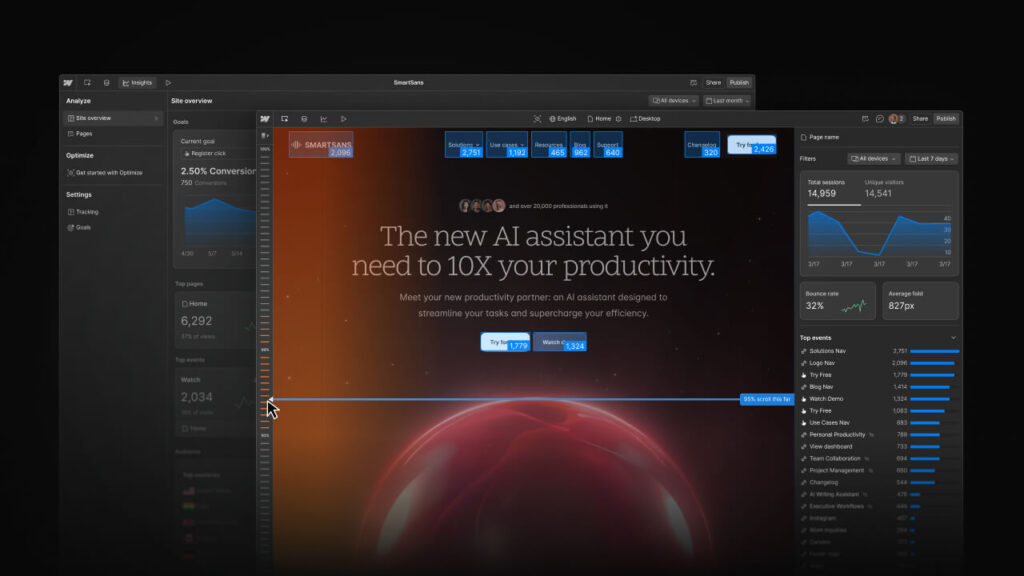
In today’s digital age, a website is no longer just a digital presence—it’s the heart of your brand, a powerful tool to engage your audience, and a key driver of business growth. Whether you’re a freelancer, a startup, or a large enterprise, building a professional website that converts visitors into customers is essential. Enter Webflow, a cutting-edge platform designed to simplify website creation while offering unmatched customization and scalability.
What is Webflow?
Webflow is a visual website builder and content management system (CMS) that empowers users to design, build, and launch websites without writing a single line of code. Combining the flexibility of traditional coding with a no-code, drag-and-drop interface, Webflow is ideal for marketers, designers, developers, and agencies aiming to create fully responsive and professional websites efficiently.
Unlike standard website builders, Webflow offers full design control, SEO-friendly structures, and advanced integrations. This makes it a favorite among professionals who want to build high-performing websites without sacrificing creativity or functionality.
Why Choose Webflow?
1. No-Code Design Freedom
With Webflow, you can design pixel-perfect websites using its intuitive drag-and-drop editor. It’s not just a template-based tool; you have the freedom to create custom layouts, animations, and interactions tailored to your brand identity.
2. CMS and Dynamic Content
Webflow’s CMS allows you to manage dynamic content such as blogs, product listings, portfolios, and more. You can define custom collections and automatically populate pages, which is perfect for businesses with frequently updating content.
3. Responsive Design
All Webflow websites are automatically responsive, ensuring that your site looks flawless on desktops, tablets, and mobile devices. You can customize breakpoints and preview designs across devices in real-time.
4. SEO Optimization
Webflow is built with SEO in mind. Users can edit meta tags, alt texts, and URLs easily. Additionally, it generates clean, semantic HTML and fast-loading pages, which help improve search engine rankings—a crucial factor for attracting organic traffic and improving ad performance.
5. Integrated Hosting and Security
Webflow offers reliable hosting powered by Amazon Web Services and Fastly, with SSL certification included. Your website remains fast, secure, and scalable, handling traffic surges without downtime.
6. Powerful Interactions and Animations
Webflow allows you to create advanced interactions, animations, and micro-interactions to enhance user engagement. Whether it’s scroll-triggered animations, hover effects, or dynamic content transitions, Webflow makes your site interactive and visually stunning.
7. E-commerce Capabilities
Webflow’s e-commerce platform allows businesses to sell products online without needing a separate tool. You can manage inventory, customize product pages, and optimize checkout experiences while maintaining consistent branding.
Webflow for Businesses and Marketers
Webflow is not just a tool for designers. Marketers benefit enormously from its flexibility:
- Conversion-Focused Design: Easily test landing pages and A/B experiments to increase lead generation.
- Fast Deployment: Launch campaigns faster with Webflow’s intuitive editor, without relying on developers.
- AI-Powered Enhancements: Webflow integrates AI features to generate site copy, design suggestions, and even automate repetitive tasks, saving marketers valuable time.
Businesses like Spotify, Dropbox, and The New York Times have leveraged Webflow to scale their websites efficiently, proving that it’s suitable for organizations of all sizes.
Visit webflow Official Website
How Webflow Works
Webflow combines three main components:
- Designer: A visual editor for building layouts, styling elements, and adding interactions.
- CMS: A content management system that allows dynamic content creation and management.
- Hosting & Deployment: High-performance hosting integrated with a content delivery network (CDN) and SSL security.
This combination ensures that you can design, manage, and launch a website from one platform—streamlining the entire process.
Webflow vs Traditional Website Builders
Unlike platforms such as Wix or Squarespace, Webflow doesn’t confine you to pre-designed templates. You get true design freedom, semantic code output, and a scalable CMS, making it more suitable for professional-grade projects. While WordPress offers similar flexibility, it often requires plugins and custom coding, whereas Webflow provides everything natively.
Getting Started with Webflow
Step 1: Sign Up and Choose a Template
Begin by signing up for Webflow. You can choose a template or start from scratch. Templates cater to industries such as tech, creative agencies, e-commerce, and more.
Step 2: Customize Your Website
Using Webflow’s Designer, drag and drop elements, edit text, insert images, and configure interactions. The interface is visual but precise, giving you total control over every detail.
Step 3: Add Dynamic Content
Use the CMS to create collections like blogs, products, or portfolios. Dynamic templates allow pages to update automatically when new content is added.
Step 4: Optimize for SEO
Set meta titles, descriptions, alt texts, and URLs. Webflow also generates clean code and supports schema markup, helping your site rank higher on Google and other search engines.
Step 5: Launch and Maintain
After testing your site’s responsiveness and interactions, deploy it with Webflow’s hosting. Webflow also offers analytics and integrations to track performance and user behavior.
Benefits for Google Ads Campaigns
If you’re running Google Ads, Webflow can dramatically improve results:
- Landing Page Speed: Faster-loading pages improve quality scores.
- Customizable Templates: Tailor landing pages to specific ad campaigns.
- Conversion Optimization: Built-in tools help create high-converting designs.
- SEO-Friendly Structure: Boost organic reach alongside paid campaigns.
A well-designed Webflow landing page can reduce bounce rates, increase conversions, and maximize ROI from your Google Ads campaigns.
Webflow Pricing
Webflow offers flexible pricing for different needs:
- Free Plan: Ideal for personal projects and testing.
- Site Plans: Paid plans for hosting individual websites.
- E-commerce Plans: For businesses selling products online.
- Enterprise Plans: Customized solutions for large organizations with advanced needs.
The pricing is transparent, and you only pay for the features you need.
Conclusion
Webflow is more than just a website builder—it’s a complete digital solution that empowers businesses, marketers, and creatives to build stunning, high-performing websites without the hassle of coding. With responsive designs, SEO-friendly structure, AI integrations, and e-commerce capabilities, Webflow helps you create websites that not only look great but also convert visitors into loyal customers.
For anyone looking to elevate their online presence, whether for organic growth or Google Ads campaigns, Webflow is a powerful and versatile platform that delivers results.